
EdenExplorer
Blazing-fast, open-source file manager for Windows 10/11
A next-generation file explorer built with Rust and egui, focused on performance, efficiency, and modern workflows. A fast, open-source alternative to Windows File Explorer.
Why EdenExplorer?
Windows File Explorer hasn't evolved for modern workflows. It’s slow, inefficient, and built for a different era.EdenExplorer fixes that with a focused, high-performance experience and a clean UI.
- Lightning-fast performance with direct NT-level filesystem access
- Minimal, modern UI built for speed and focus
- Rust-powered for memory safety and efficiency
- Zero telemetry, fully open source, MIT licensed
- Lightweight footprint with low resource usage
IMPACT SUMMARY
Built for speed, clarity, and daily use.
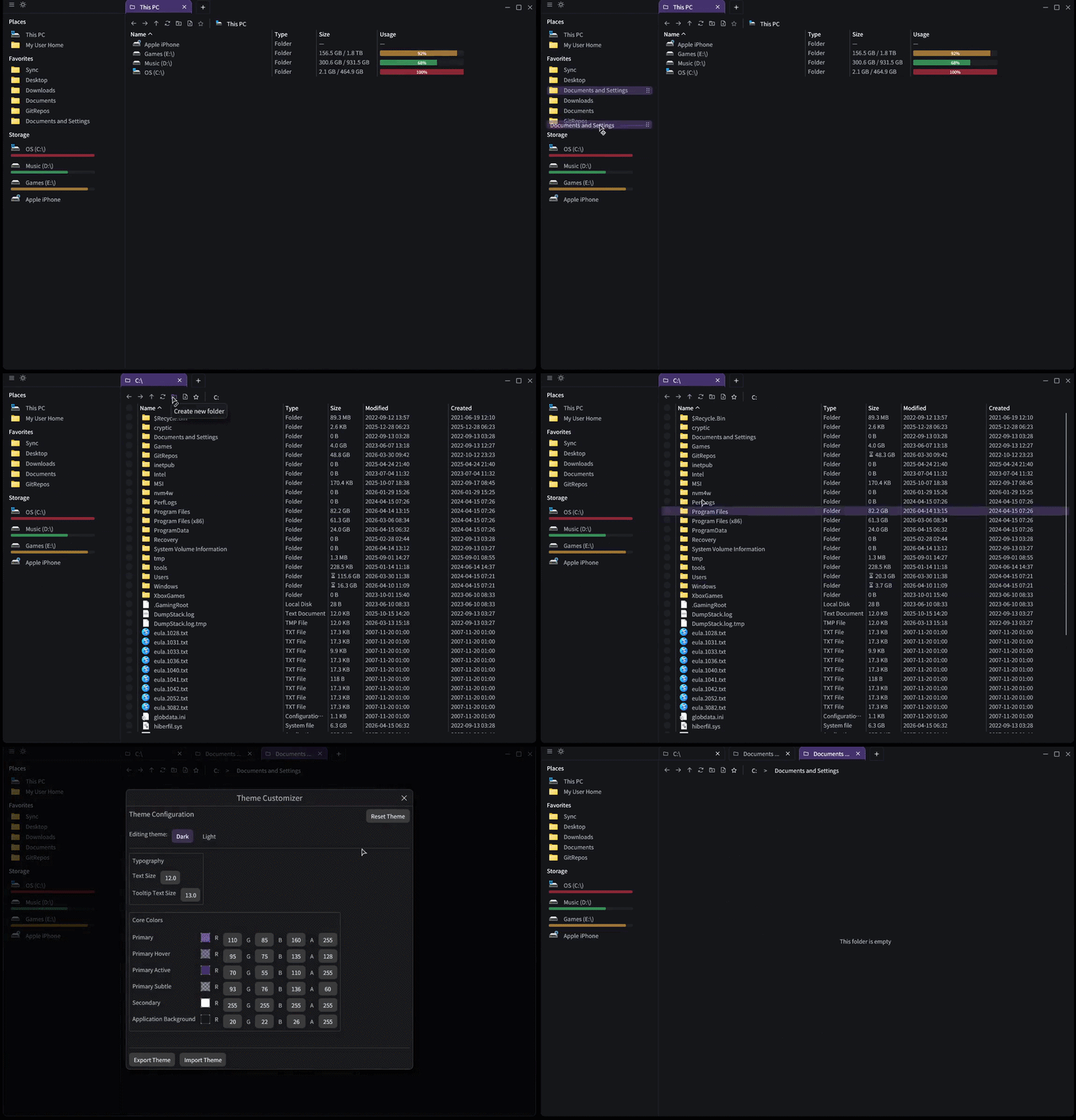
Built for daily use
EdenExplorer is designed to feel instant, with powerful navigation, smart search, and zero fluff. It's the file manager you open every day and never think about again.
Contribute on GitHub →Feature Highlights
Everything you expect from a modern file explorer, built on top of a high-performance Rust core.
Core Functionality
- Blazing-fast GUI that opens at the root with drive details
- Asynchronous directory scanning for smooth browsing
- Back / Forward / Up navigation controls
- Smart sidebar with favorites and quick access folders
Theme & Customization
- Instant dark / light mode switching
- Full palette customization and theming
- Custom startup directory
- Persistent settings across restarts
Search & Filtering
- Real-time filtering as you type
- Fuzzy matching for smarter results
- Optimized filtering with cached indices
Advanced Features
- Tabbed navigation with independent loading states
- Interactive breadcrumbs with inline editing
- Favorites system with drag-and-drop
- Context menu operations (cut, copy, paste, rename, delete)
- Portable device and raw/unmounted drive support
System Integration
- Efficient drive space queries with caching
- Custom executable icon and file associations
- Improved window management and sizing
- Windows environment PATH expansion in breadcrumbs
Performance Optimizations
- NT-level filesystem access via direct API calls
- Streaming directory enumeration
- Background scanning to prevent UI freezes
- Low memory footprint and benchmarking tools
Download, Contribute, & Feedback
EdenExplorer is fully open source. Download the latest release, file issues, or jump in with pull requests to help shape the roadmap.
SUPPORT FOSS
If EdenExplorer helps your workflow, consider sponsoring its continued development.
Sponsor the Project →